
Permanent Action
Account deletion is permanent. Once completed, your habits, completion history, streak counters, and profile data will be permanently removed.
How to Request Account Deletion
-
Open the HabitHook Mobile App
Launch the HabitHook application on your iOS or Android device.
-
Navigate to Profile Settings
Tap your avatar on the top right menu to open Profile Settings.
-
Select "Delete Account"
Scroll down to the Privacy section and tap Delete Account.
-
Confirm & Submit Deletion Request
Confirm deletion. Our system will immediately process and wipe your account data.
What Data Gets Removed?
- Account profile (Name, email address, profile picture)
- Habit routines, daily streaks, and completion history
- Public challenge records and community cheer history
- Cloud analytics and backup snapshots
Visual Step-by-Step Guide
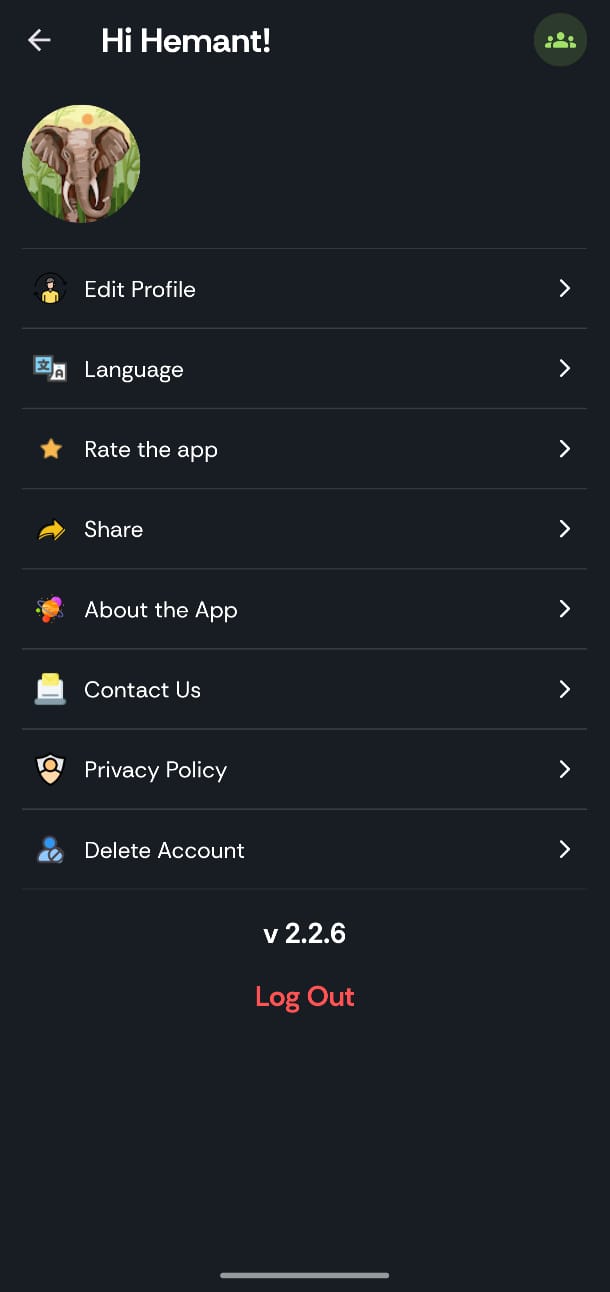
1. Profile Settings
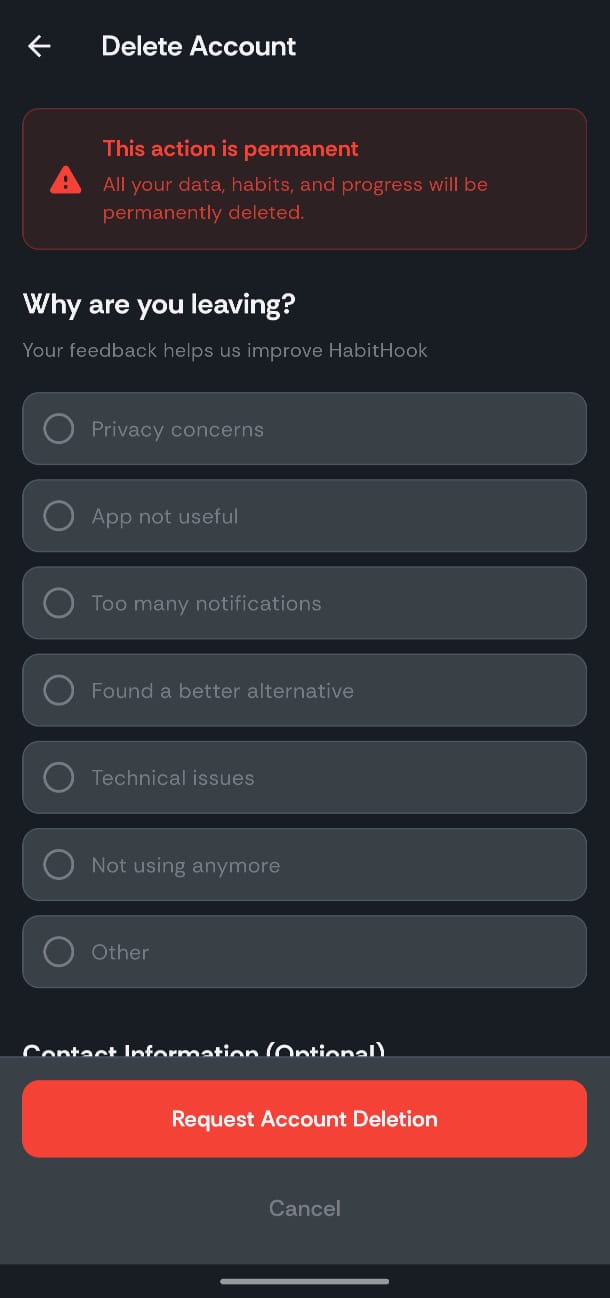
2. Confirmation Screen